Custom or off-the-shelf software: which do you need?
By David Kim, founder · Last updated 20 November 2026
Buy off-the-shelf software if a product already does most of what you need. Build custom software if every product you try makes your team work around it. Often the best answer is in between: keep the tools you have and build a link between them.
When should you buy off-the-shelf software?
When the job works the same way in your business as in most others. Accounts, payroll and email are good examples. Buy when:
- a product does most of what you need on day one
- your team can work the way the product expects
- you need it running in days or weeks.
Most products charge per user each month, so the bill grows with your team. MRPeasy for manufacturers and JobTread for builders both work this way.
When does custom software make sense?
When the products you've tried keep getting in your team's way. Look for these signs:
- Someone keeps a spreadsheet next to the software.
- The same job gets typed into two or three systems.
- Your quoting or scheduling has rules no product can handle.
Quotes08:14
J-1047 · Hill & Co
Stair stringers ×12
Typed by hand
Jobs.xlsx10:32
Typed again
Accounts15:05
CustomerHill & Co
ItemStair stringers ×12
JobJ-1047
Typed again
Custom costs more at the start. See how much custom software costs.
Build it in small pieces. A McKinsey and University of Oxford study found large IT projects ran 45 percent over budget on average. Small pieces you can check every two weeks keep that risk small.
Is there a middle path?
Yes. Keep the tools that work and build a link between them. Xero, QuickBooks and MYOB all let other software connect to them.
A link can turn an accepted quote into an invoice, or send stock levels to your website, so nobody types anything twice. Simple links can be set up with tools like Zapier. Bigger or more important ones need custom code.
Quotes08:14:09
J-1047 · Hill & Co
Stair stringers ×12
Quote accepted
Accounts08:14:12
J-1047 · Hill & Co
Stair stringers ×12
Invoice created
This is often the first thing we suggest, because it's the smallest job that stops the re-typing.
Is Zapier or Make enough?
For simple links, often yes. Tools like Zapier and Make copy data from one app to another when something happens, with no code. Each plan allows a set number of steps a month.
They're harder to trust when a link moves money or stock, has many steps, or runs thousands of times a month. Then you need a warning when it fails, a list of what it moved and someone to fix it. That's when a small custom link is worth pricing.
How do the three options compare?
| Buy | Build | Connect | |
|---|---|---|---|
| Cost to start | Low | Highest | Low to medium |
| Each month | A fee per user | Hosting and upkeep | Hosting, plus your tools' own fees |
| Fits how you work | You change to fit it | Built around you | Each tool does its part; the link fills the gap |
| Who owns it | The vendor | You, if your contract says so | You own the link |
Do you need an ERP system?
An ERP (enterprise resource planning) system keeps your orders, stock, production and money in one place. You may need one when several teams keep re-typing the same orders and the numbers never match.
ERP projects are big. In Panorama Consulting's 2026 survey of 170 mostly mid-sized companies, the typical project took 9 months and 30 percent went over budget. Changing an ERP to fit you makes it harder to upgrade later (Panorama, 2021).
If one or two tools do most of the work and the problem is re-typing between them, connect them first.
What if you tried an ERP and it didn't work?
You don't have to start again. First, find out which part didn't work. Often the ERP handles the money fine but misses one step, like quoting or the factory floor, so the team goes back to spreadsheets for that step.
Keep what works and fix the part that doesn't. Use a product made for that step, or one small custom piece linked to the rest. Ask your team which spreadsheet they still use, because that's usually the gap.
Which one fits you?
- A product already does most of it? Buy it.
- You like your tools but re-type data between them? Connect them.
- Your job has rules no product handles, and they win you work? Build that part.
- Several teams re-type the same orders and money? Look at an ERP.
When shouldn't you hire MERIT?
- When a product already fits. Buy it. If that's what we find on the call, we'll tell you.
- When you need a full ERP across many sites. Hire a partner who sets up that ERP for a living.
- When you need it live this week. A product or a tool like Zapier will be faster.
What would we do?
On a free 30-minute call, we look at the job that costs your team the most hours. We tell you whether to buy, build or connect. If it's a build or a link, you get a one-page scope with a fixed price two days later. You can see two systems we've built on our homepage.
-
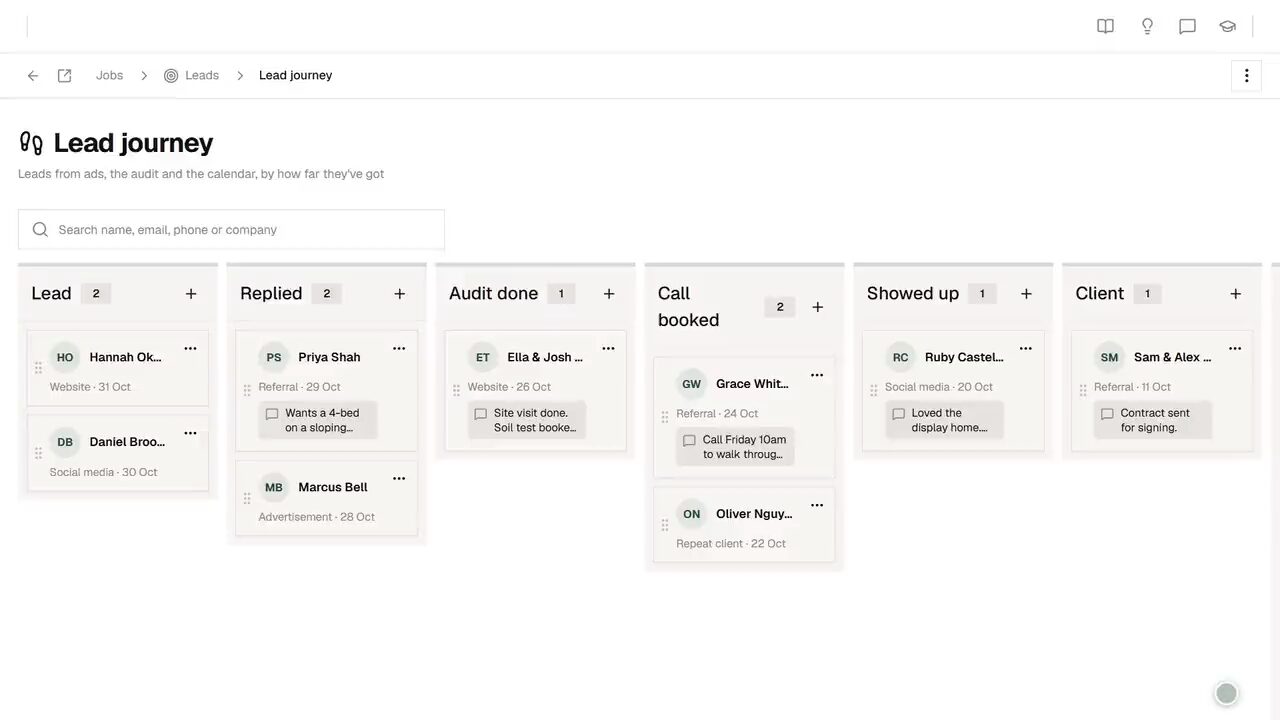 Marketing and e-signing, built for a home-builder platform.
-
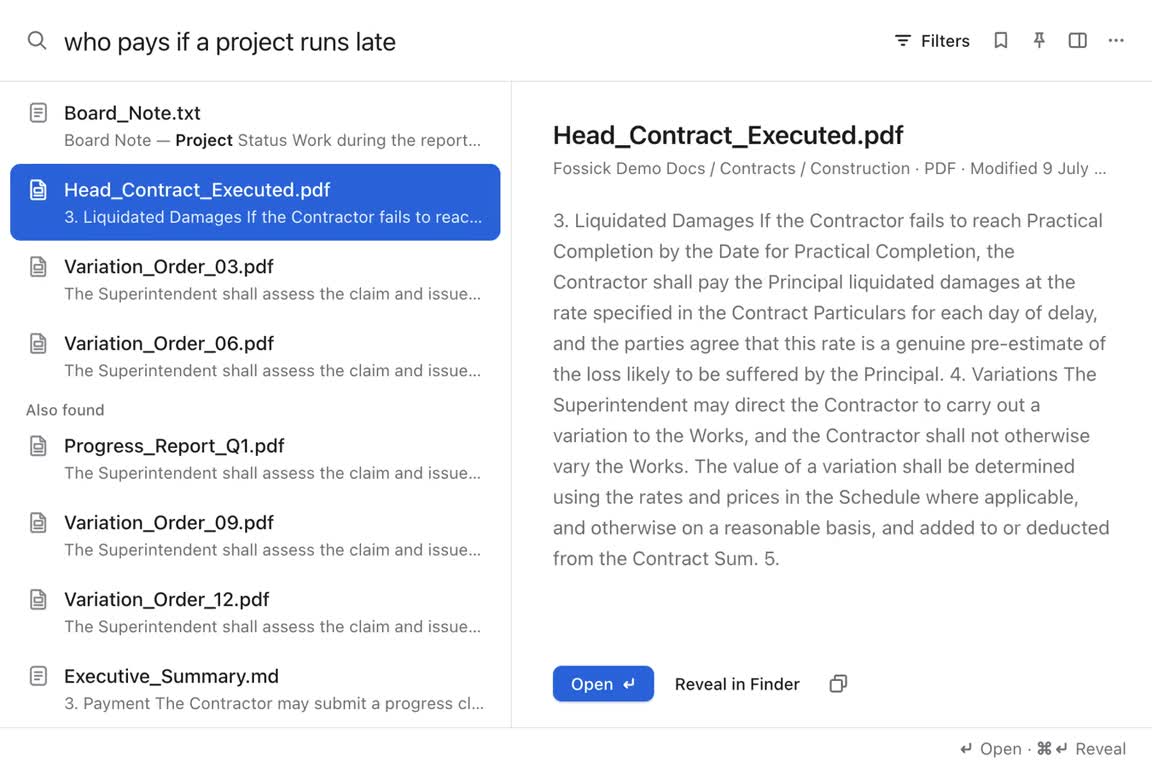 Fossick finds a document by what it says.
Book a free 30-minute call.
We look at where your team's hours go and tell you whether to buy, build or connect, whether you hire us or not.
Not ready for a call? See what paperwork costs you or send us a note.
More guides
- How to stop double entry between Xero, MYOB and job software
- How much does custom software cost?
- MRP and job shop software
- Construction software for small builders
- Warehouse management systems
- See two systems we've built, running
Sources
- Panorama Consulting Group, The 2026 ERP Report, March 2026. 170 organisations, mostly mid-sized.
- Panorama Consulting Group, 2021 ERP Report, on customised systems and upgrades.
- McKinsey & Company and the University of Oxford, Delivering large-scale IT projects on time, on budget, and on value, October 2012.
- Developer pages for Xero, QuickBooks Online and MYOB.
- Pricing pages for MRPeasy, JobTread, Zapier and Make.
Sources checked 1 November 2026; Make checked 20 November 2026.